AI Knowledge Base: Document Training Guide
Posted on 2026-01-26 Updated on 2026-01-26The Knowledge Base: Documents section allows you to upload specific files that the AI uses as a reference to provide accurate, school-specific answers. By training the AI on your documents, you ensure the assistant stays aligned with school policies and curriculum.
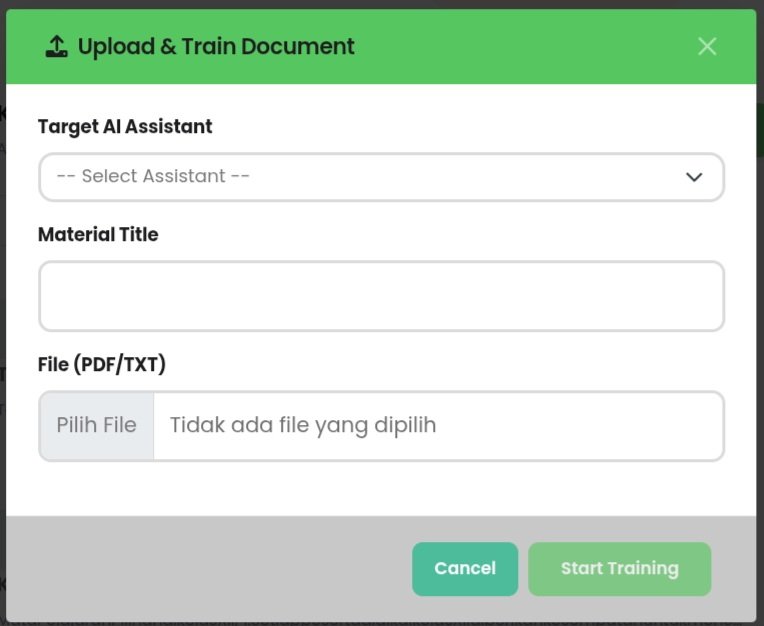
How to Upload and Train Documents:
- Navigate to the Document Training tab and click the green Upload Document button.
- In the popup window, select the Target AI Assistant from the dropdown menu to define which bot will learn this data.
- Enter a Material Title that clearly describes the content (e.g., School Discipline Rules or Curriculum).
- Click Pilih File to upload your document in PDF or TXT format.
- Click Start Training to begin the processing phase.
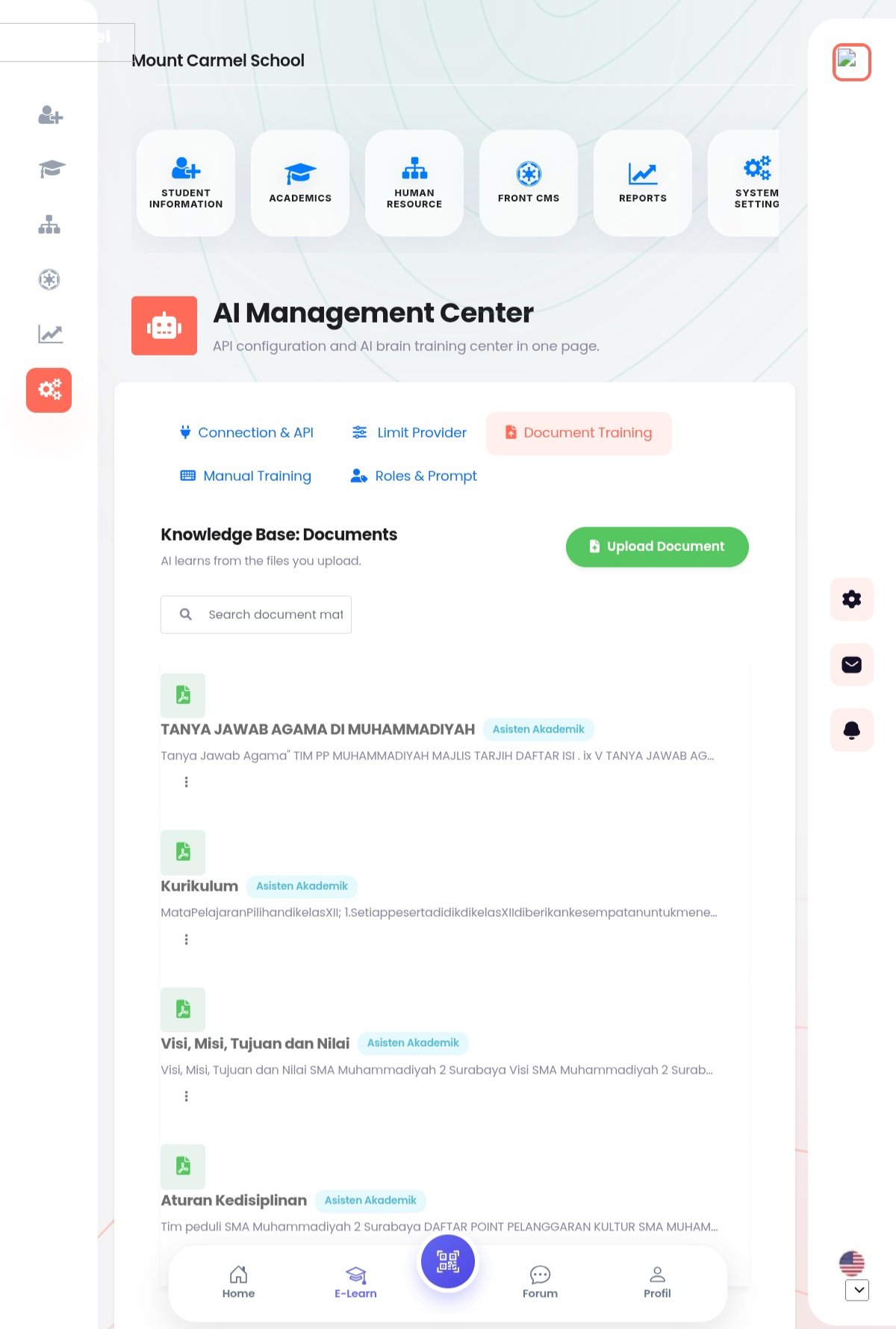
Managing Existing Knowledge:
- You can search through your uploaded materials using the search bar.
- Existing documents, such as Religious Q&A or Vision and Mission, will appear in a list showing which AI Assistant is assigned to them.
- Use the options menu (three dots) on each document card to manage or delete specific entries.
Found this article helpful?
[ 0 Out of 0 Found Helpful ]